ADA Blindness Guidelines: Navigating Web Compliance, Lawsuits, and Workplace Rights

The conversation around ADA blindness compliance has dramatically shifted over the past decade. It is no longer just about installing physical wheelchair ramps or braille signage on elevator buttons. Today, the legal battleground spans two massive, distinct fronts: achieving digital website accessibility (under Title II and Title III) and navigating strict occupational medical standards in the workplace (under Title I).
For business owners, understanding ADA website compliance for the blind is critical to avoiding a surging wave of predatory litigation. For employees and job recruits—particularly in specialized fields like law enforcement—understanding how the Americans with Disabilities Act protects (or fails to protect) vision deficiencies is essential for career survival.
In this comprehensive guide, we will explore both the digital and physical realities of ADA compliance, from the hidden traps of accessibility widgets to the legal strategies for appealing occupational vision disqualifications.
Digital Equality: How the ADA Applies to Websites and Software
In 2025 alone, nearly 4,000 ADA website accessibility lawsuits were filed against private businesses, representing a staggering 37% year-over-year surge in the first half of the year. The Department of Justice (DOJ) has made it clear: if your business operates a public-facing website, that website is considered a “place of public accommodation.”
Understanding WCAG 2.1 and 2.2 Standards (The Baseline)
While the ADA itself does not contain technical coding instructions, the courts and the DOJ universally rely on the Web Content Accessibility Guidelines (WCAG). To ensure your site is accessible to a blind user utilizing a screen reader (like JAWS or NVDA), your digital architecture must conform to WCAG 2.1 AA standards.
Common failures include:
- Missing Alt-Text: Essential images and navigation buttons lacking descriptive tags.
- Keyboard Traps: Menus or checkout forms that cannot be navigated entirely via the “Tab” key.
- Silent Dynamic Content: Status updates (e.g., “Item added to cart”) that change visually but are not announced to the screen reader.

The “Accessibility Overlay” Trap: Why Widgets Are Getting Businesses Sued
In a panic to avoid lawsuits, many small business owners purchase automated AI accessibility “overlays” or “widgets” (such as accessiBe or UserWay). These tools promise a quick fix by adding a toolbar to the site that adjusts contrast or text size.
However, these widgets are a massive liability. According to recent litigation data, over 22% of all ADA website lawsuits are filed against companies that already have an overlay installed. Why? Because an external widget cannot fix broken foundational HTML code. If your site lacks structural ARIA labels, a widget cannot magically interpret the page for a blind user. The Federal Trade Commission (FTC) has even cracked down on some overlay providers for deceptive “automated compliance” marketing.
Compliance Warning
Do not rely on “one-click” widgets for legal protection. True ADA web compliance requires manual code remediation and regular testing by native screen-reader users.
The Hidden ADA Violation: Inaccessible PDFs and Digital Documents
Many organizations spend thousands fixing their website HTML, only to be sued over the downloadable documents hosted on that same site.
Standard PDFs—such as restaurant menus, municipal forms, annual reports, and employee handbooks—are essentially flat images to a screen reader. If a PDF is not properly “tagged” with a logical reading order and alt-text for its charts and graphics, it represents a hard barrier for blind users and a direct ADA Title III violation.

The 2026 Title II Deadline: Is Your K-12 School Legally Ready?
While private businesses battle Title III lawsuits, state and local governments are facing a massive regulatory shift under Title II.
The DOJ recently issued a final rule mandating that all state and local government entities—which explicitly includes public K-12 school districts, community colleges, and public universities—must ensure their digital content is fully accessible by April 2026. This sweeping mandate applies not just to the main school website, but to parent-teacher communication apps, online grading portals, and digital curriculums.
ADA Blindness in the Workplace: Title I Rights and Accommodations
Moving from the digital space to the physical workplace, the ADA (Title I) protects employees from discrimination based on visual disabilities. However, defining what legally constitutes a “disability” is often heavily contested by employers.
Night Blindness and Color Deficiency: Proving “Substantial Limitation”
Total blindness is universally recognized under the ADA. But what about partial impairments like nyctalopia (night blindness) or severe color vision deficiency?
Employers frequently argue that these conditions do not qualify for accommodations because they only limit specific tasks (like driving at night or reading a color-coded spreadsheet). However, recent case law empowers employees. In the landmark 6th Circuit case Edwards v. Shelby County, the court ruled that night blindness is a disability because it impairs the “major life activity” of seeing compared to the general population.
If you suffer from a visual impairment and require an accommodation (such as altered lighting, specialized screen magnification, or specialized color-correcting lenses), you must document how your condition limits your fundamental ability to see, not just your ability to perform one specific job duty.
Navigating High-Risk Careers: Vision Standards and the Law
For individuals aspiring to high-risk, safety-critical professions—such as aviation, maritime, or law enforcement—the ADA offers a much narrower shield.

The BFOQ Defense: Why Agencies Can Legally Disqualify You
When candidates sue police or fire departments for ADA discrimination after failing a color vision or visual acuity test, the courts generally side with the employer. Departments utilize the Bona Fide Occupational Qualification (BFOQ) defense.
Courts accept that strict vision standards are essential to public safety. Because a colorblind officer might misidentify a suspect’s clothing or fail to differentiate between a black cell phone and a dark weapon in low light, departments can legally argue that the impairment poses a “direct threat,” thereby exempting them from ADA accommodation requirements in those specific roles.
Beating the “BFOQ” Trap: How Visually Impaired Recruits Can Fight Back
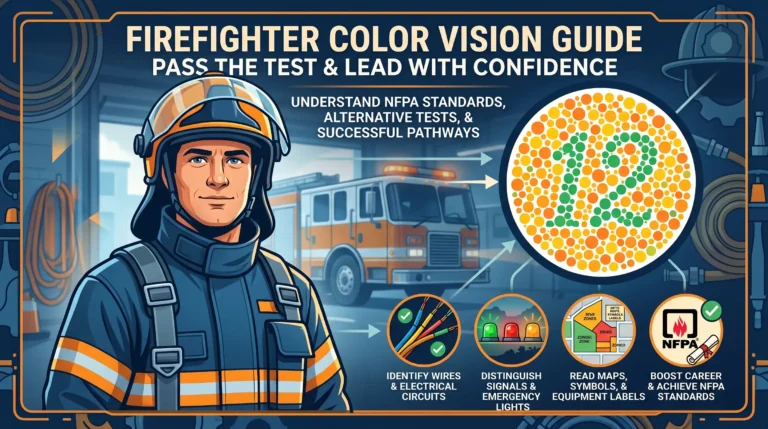
If you fail the initial clinical eye exam (like the Ishihara dot test), your career is not automatically over. The ADA requires employers to conduct individualized assessments rather than relying on blanket disqualifications.
To fight a medical disqualification, recruits should:
- Demand Secondary Testing: Request advanced occupational tests like the Farnsworth D-15 or the computerized Waggoner CCVT, which can prove your deficiency is mild.
- Request a Functional Field Test: Petition the medical board for a practical, real-world assessment. If you can successfully identify vehicle colors and suspect descriptions in a low-light shoot-house, you can prove you have the “functional capacity” to do the job safely.
(For a deep dive into navigating these specific hurdles, visit our comprehensive guide on navigating medical waivers in law enforcement careers.)
The Future of Accessibility and Vision Inclusion
Whether navigating the digital code of a public website or the medical standards of a police academy, the core principle of the ADA remains the same: ensuring equal access and individualized evaluation. For businesses and schools, proactive digital remediation is vastly cheaper—and more ethical—than defending a Title III lawsuit. For employees and recruits, understanding the nuances of the law is the first step in advocating for your career.
Empower Your Vision in the Workplace
If you face challenges with color vision in your daily life, off-duty training, or civilian roles, you don’t have to navigate it alone. While they cannot be used to bypass official medical exams, advanced optical technology can significantly improve your contrast and color discrimination.
Experience the world with greater clarity and confidence.
Shop ColorKinds® Colorblind ContactsFrequently Asked Questions About ADA and Vision Impairments
Does the ADA require my website to be accessible to the blind?
Yes. Under Title III of the ADA, websites of businesses open to the public are considered ‘places of public accommodation.’ They must be accessible to users with visual impairments, typically by conforming to WCAG 2.1 AA standards.
Are accessibility overlay widgets ADA compliant?
No, automated overlays and widgets do not guarantee compliance. In fact, over 22% of recent ADA website lawsuits were filed against companies that had an overlay installed, as these tools often fail to fix underlying code issues for screen readers.
Is color blindness a disability under the ADA?
It can be. While routine color deficiency is often challenged by employers, recent case law (like Edwards v. Shelby County) demonstrates that severe visual impairments like color blindness or night blindness can qualify as a disability if they substantially limit the major life activity of seeing.
Can I be disqualified from being a police officer for failing a color vision test?
Yes, many law enforcement agencies use the ‘Bona Fide Occupational Qualification’ (BFOQ) defense to mandate strict color vision standards for safety reasons. However, candidates can often appeal by requesting functional field tests instead of clinical dot tests.
What is the 2026 ADA Title II Deadline for schools?
By April 2026, the DOJ mandates that all state and local government entities, including public K-12 schools, must ensure their websites, apps, and digital communications comply with WCAG 2.1 AA accessibility standards.
Do downloadable PDFs need to be ADA compliant?
Yes. Any PDF hosted on a public-facing website, such as menus, employee handbooks, or municipal forms, must be properly tagged and formatted so that screen reading software can interpret the text and images for blind users.
What is the best way to test a website for screen reader accessibility?
The most effective method is manual testing by native users of assistive technology (like JAWS or NVDA), combined with automated code audits to check for structural issues like missing ARIA labels and alt-text.
How can an employee request an accommodation for a visual impairment?
Employees should formally request an accommodation through HR in writing under ADA Title I, providing medical documentation of their condition and suggesting reasonable adjustments, such as screen magnifiers or specialized lighting.